
How To


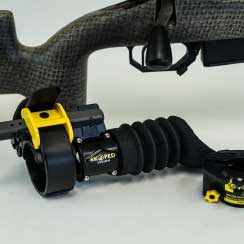
Step One:
Remove C3 adapter (Eye piece) and set aside.
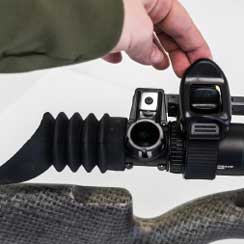
Step Two:
Slide skoped vision onto optic, and ratchet. Ratchet has break away when secured correctly.
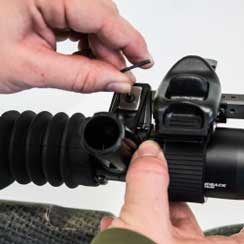
Step Three:
Center on eye piece, Secure using supplied allen wrench.
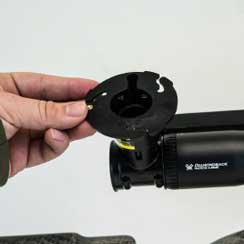
Step Four:
Install C3 phone mounting bracket and adjust for eye relief and focus.
Step Five:
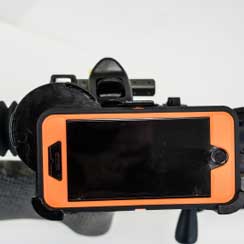
Install phone and ensure that it is locked into C3 adapter correctly. - Tighten set screw on reverse side of C3 adapter
Step Six:
Install/ Open phone skope camera app.
Step One:
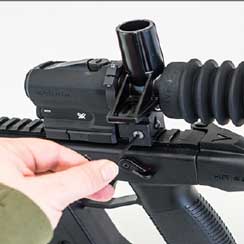
Mount to pic rail, ensure you have enough eye relief. Secure using supplied allen wrench.
Step Two:
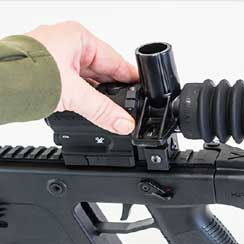
Center skoped vision on optic, tighten set screw with supplied allen wrench.
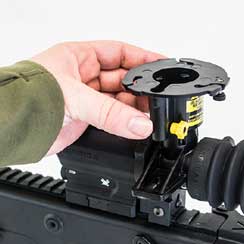
Step Three:
Install C3 phone mounting bracket and adjust for eye relief and focus.
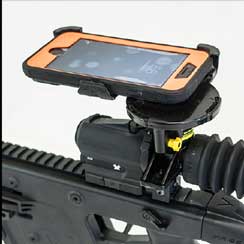
Step Four:
Install phone and ensure that it is locked into C3 adapter correctly. - Tighten set screw on reverse side of C3 adapter.
Step Five:
Install/ Open phone skope camera app
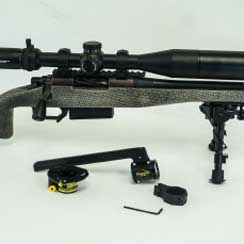
Step One:
Remove C3 adapter (Eye piece) and set aside.
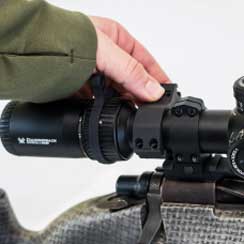
Step Two:
Mount ring, screw in bolts with supplied allen wrench. (Keep loose for rail to slide)
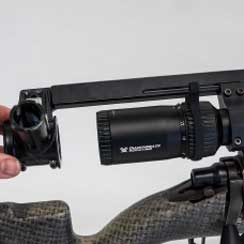
Step Three:
Slide rail into ring groove, Center with optic.
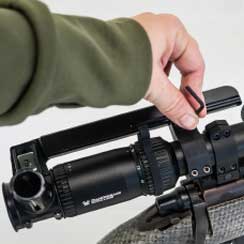
Step Four:
Secure ring using supplied allen wrench.
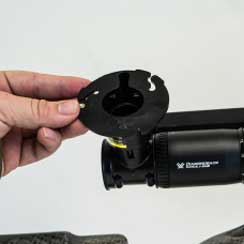
Step Five:
Install C3 phone mounting bracket and adjust for eye relief and focus.
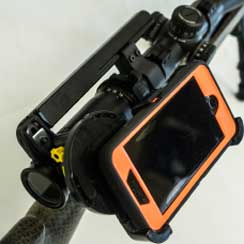
Step Six:
Install phone and ensure that it is locked into C3 adapter correctly.
- Tighten set screw on reverse side side of C3Step Seven:
Install/ Open phone skope camera app.